Your game does not have a built-in mode yet? Create a custom game to keep its results. Start by deciding how someone wins: that determines the settings you need.
1. Choose one of three scoring modes
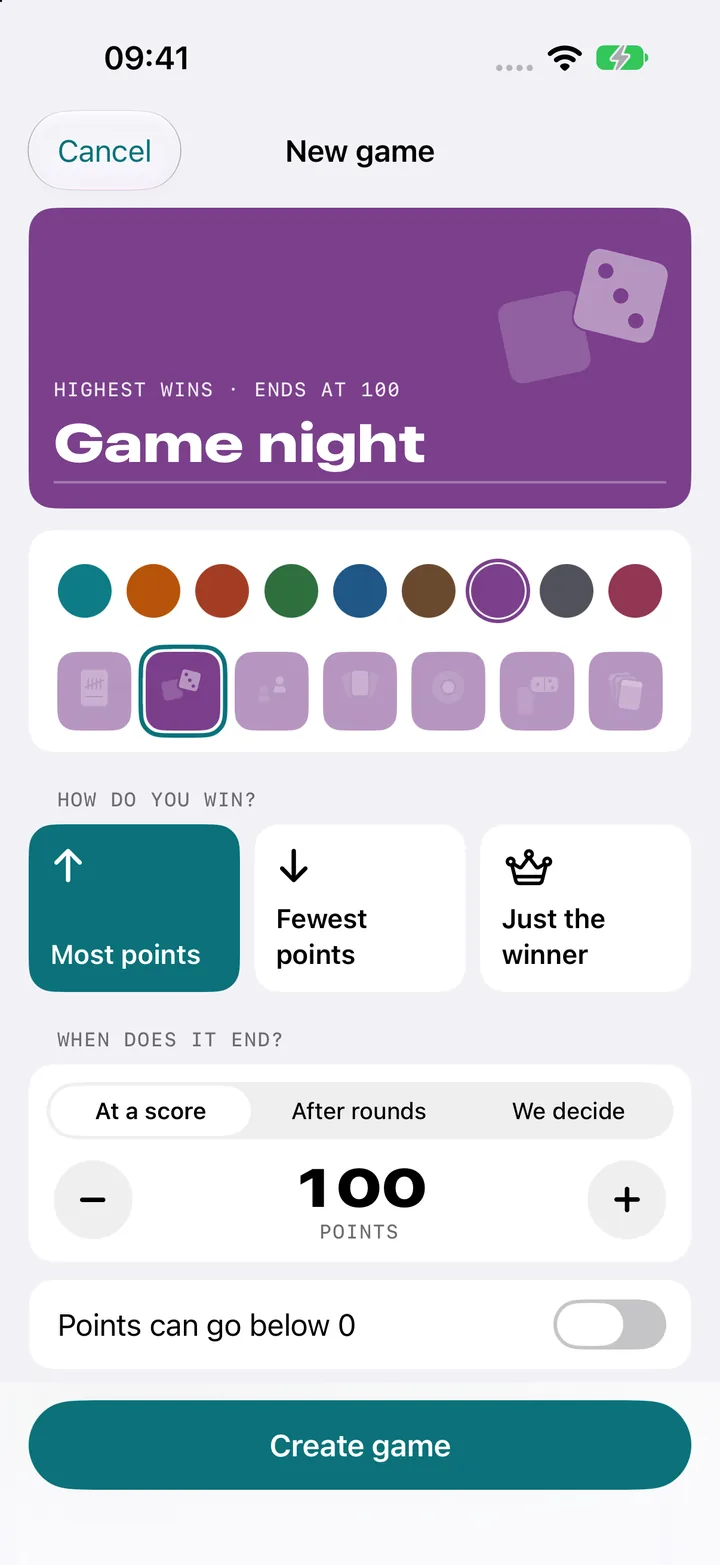
The creator offers most points, fewest points and just the winner. These are tracking modes, not a library of complete rule presets to clone.
| What you need | Mode | Example |
|---|---|---|
| Add gains | Most points | A five-round challenge |
| Add penalties | Fewest points | Stop at an agreed threshold |
| Record wins | Just the winner | Duels without points |
For an integrated game such as Skyjo, prefer its dedicated mode: a custom game does not automatically reproduce its doubling or other special rules.
2. Decide when it ends
For point-based games, end at a score, after a number of rounds or whenever you decide. Allow negative scores if your rules need them.
The ending threshold and ranking direction are separate choices. In a penalty game, reaching a limit can end play while the lowest total wins.
Example: name your game “Sunday challenge”, choose most points and five rounds. Results of 12, 8, 15, 10 and 5 total 50. Enter each round’s points, not the successive running totals.
With “just the winner”, there is no score target or round limit to set: select the winner after the game and take a rematch if you like.
3. Set teams and appearance
Enable team play during creation if needed. The app uses two teams, Red and Blue. For points, enter one score per team; for winner-only games, select the winning team. Members share their team’s result.
Give the game a recognisable name, then choose a colour and pattern. Distinct names such as “Challenge - five rounds” and “Challenge - open ended” help separate variants.
4. Save the game, then start playing
Saving creates a game definition. Start a game from that entry, choose the participants and record results. Creating the definition alone is not a played game.
Calculate bonuses, multipliers and melds at the table before entering the score. The creator is not a programmable engine for arbitrary card rules.
Core rules are fixed at creation to preserve the meaning of your history. Some details, including name and appearance, remain editable. Create another definition to change the game’s underlying logic and check its settings before playing.
What is free?
The free version allows up to three custom games. EnScore Pro removes that limit. You can try your first custom game for free.
EnScore getting-started guide.